Nejat Ozalp, Senior Product Designer
← All work
Keepnet Labs · Incident Responder

Halving the effort to stop phishing attacks

Redesigning a security tool that teams use every day to find and remove phishing emails, making it faster and clearer without making existing users relearn it.

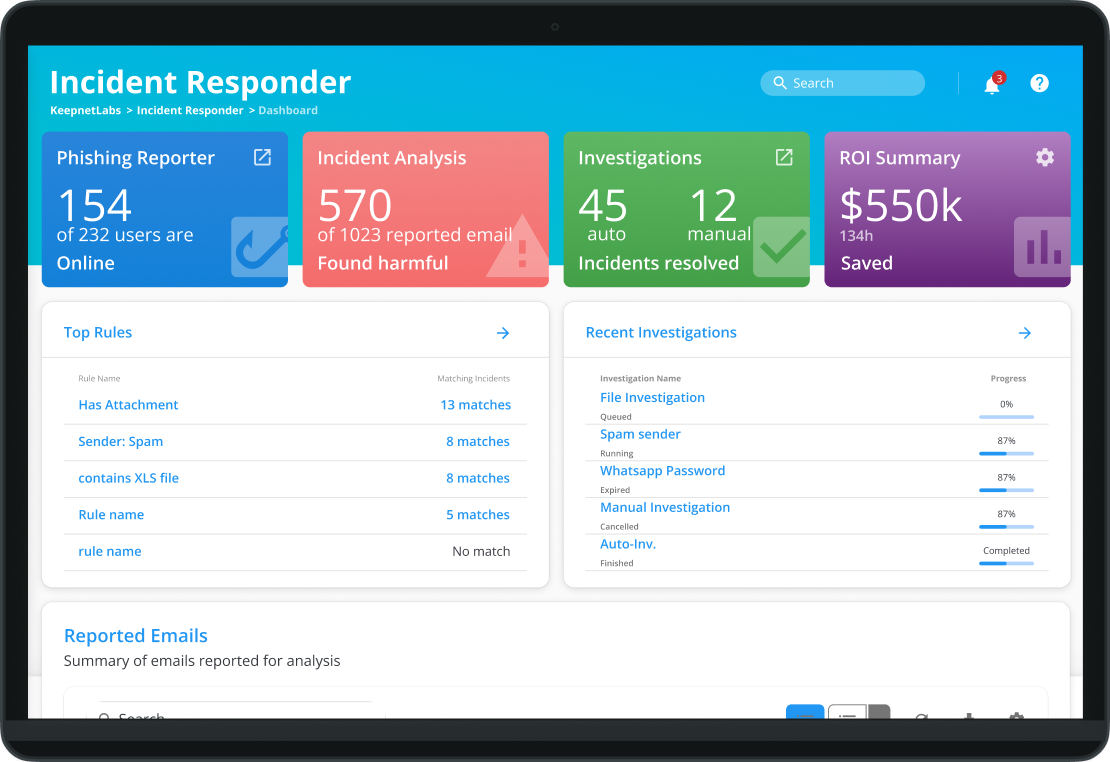
Incident Responder dashboard showing reported emails, analysis results and investigations

Problem

Email is behind more than 90% of security breaches. Incident Responder helps security teams remove phishing emails from every mailbox, but the MVP was hard to use: reports were hard to scan, responding was slow, automation logic was confusing and forms were long.

Solution

A redesign that keeps existing workflows intact: a one-step action to find and remove a threat everywhere, automation logic that reads like a sentence, and a dashboard that shows the status people check first.

Results

  • ~50% lesseffort to investigate a malicious email
  • Fastereveryday incident response for users
  • Higheradoption of the redesigned product
  • Fewersupport tickets after launch

How I approached it

Understand

Who are these people, and why do they use this?

Personas and journey maps

I watched security teams use the product in their own work environment and held online sessions with others. Together with interviews with colleagues who work with customers, this became personas and journey maps of how incidents are handled today.
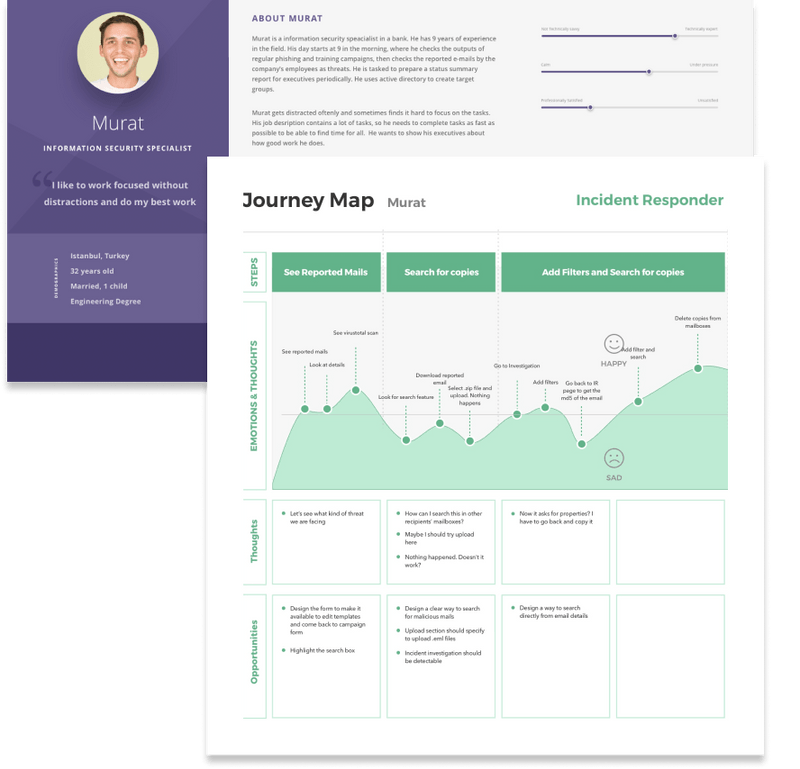
Persona of Murat, an information security specialist, and his journey map through incident response

Focus

Which problems matter most?

Listing the pain points

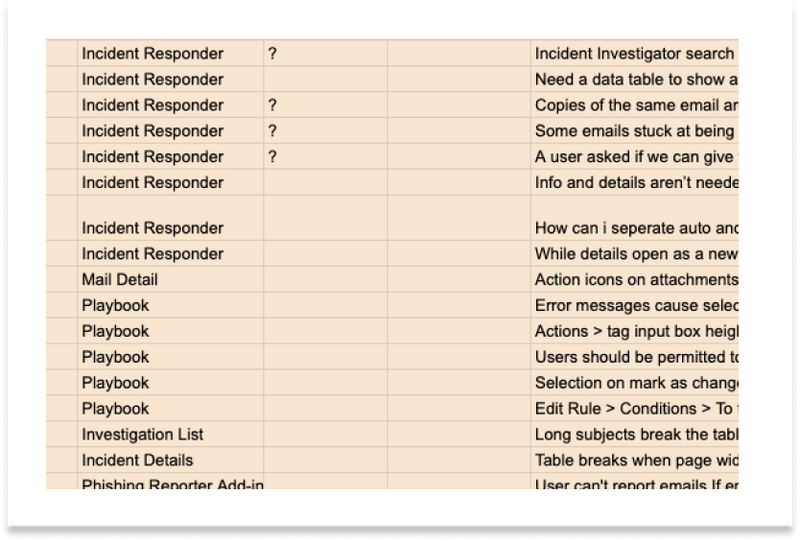
I listed every difficulty users mentioned, then grouped and ranked them into pain points and usability issues. This showed where the product hurt most, and became user goals, business goals and KPIs.

Spreadsheet of usability findings grouped by product area

How might we?

Security specialists need tools that stay clear and dependable under pressure. I framed the biggest gaps as questions the whole team could work on together.

  • How might we present information in an interpretable way?
  • How do our users use this information?
  • How might we provide a user-friendly logic creator?
  • How might we make incident response quicker and more efficient?
  • How might we design more intuitive forms?

Explore

What could solve them?

Brainstorm and information architecture

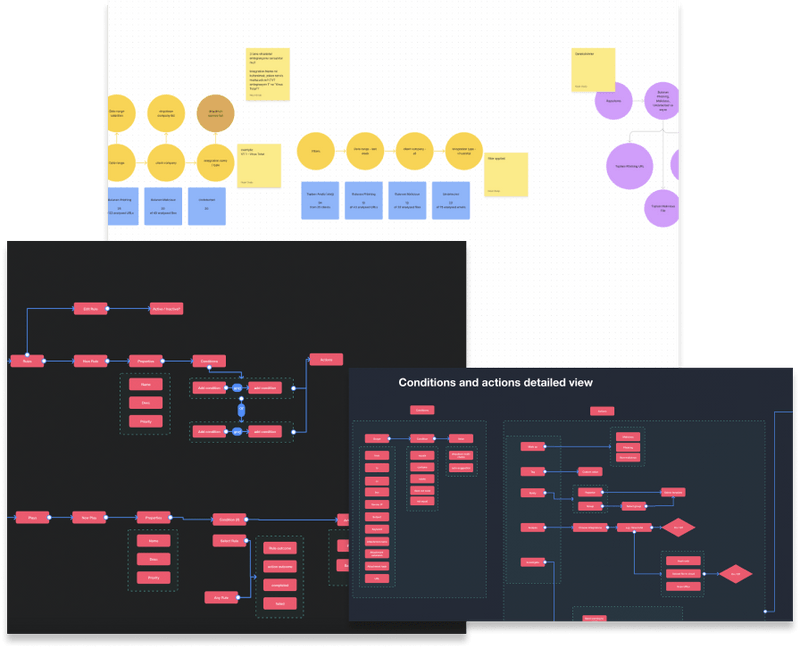
I brainstormed with developers, the PM and leadership so ideas stayed feasible, then mapped user flows to give the most common jobs the shortest path.

Brainstorm board with sticky notes, and user flow diagrams for conditions and actions
Key moment

Removing a threat everywhere, in one step

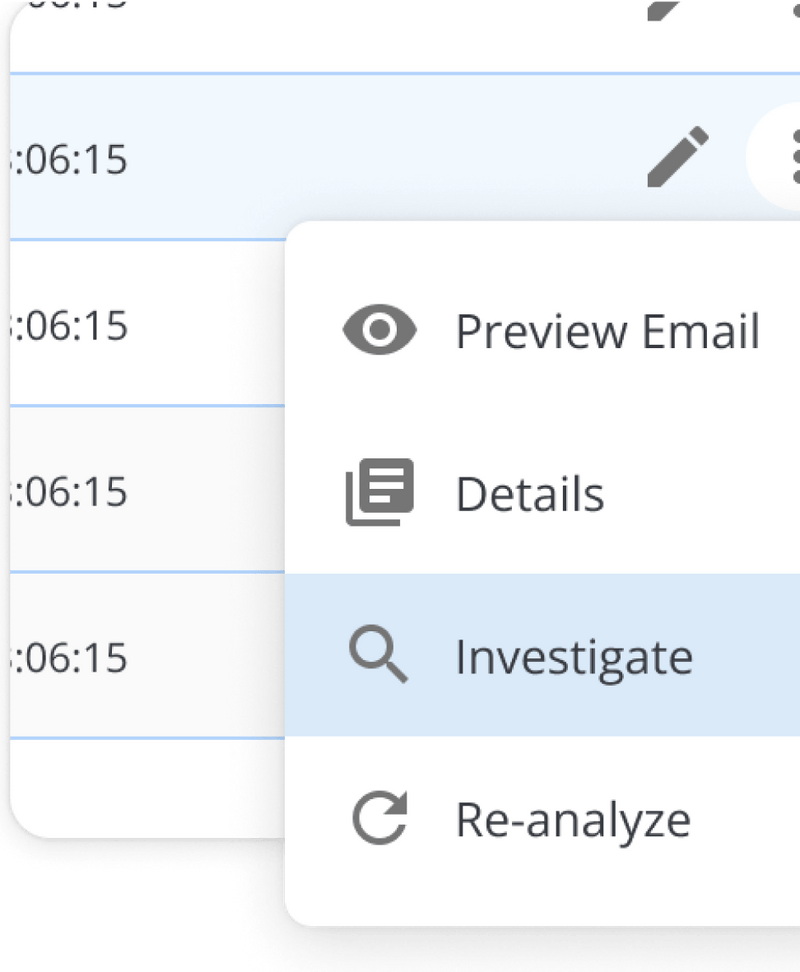
Investigating a reported email meant typing search criteria by hand. I added an Investigate action to each reported email that pre-fills the search, so analysts find and remove every copy across mailboxes straight away.

Result: almost half the effort per investigation.

Action menu on a reported email with Preview email, Details, Investigate and Re-analyze

Wireframes

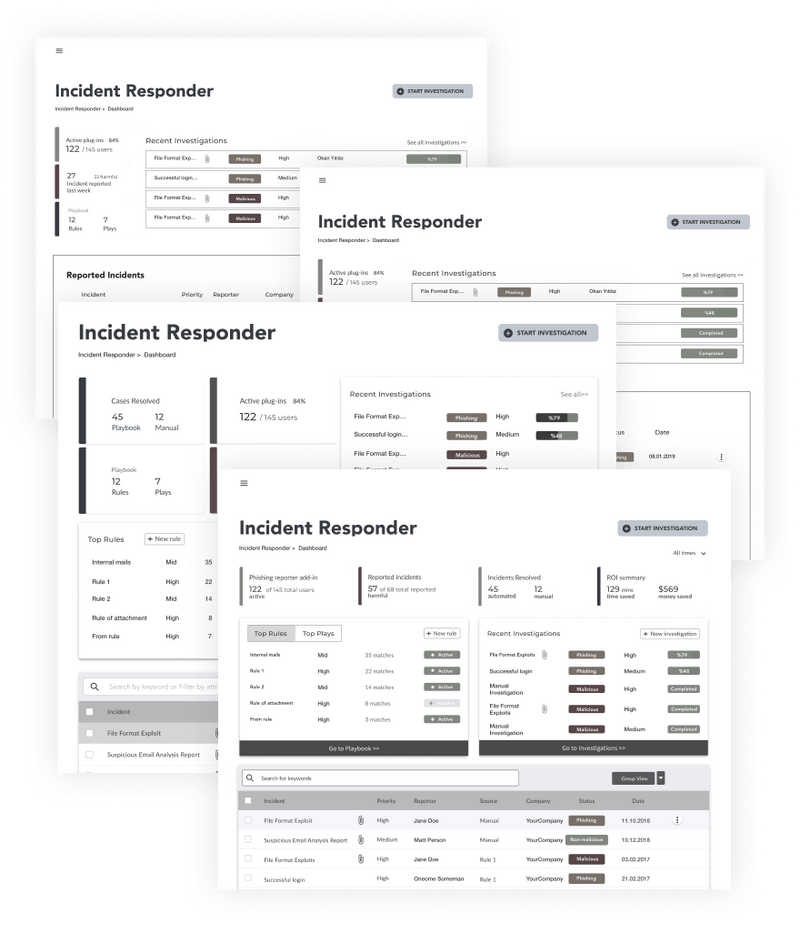
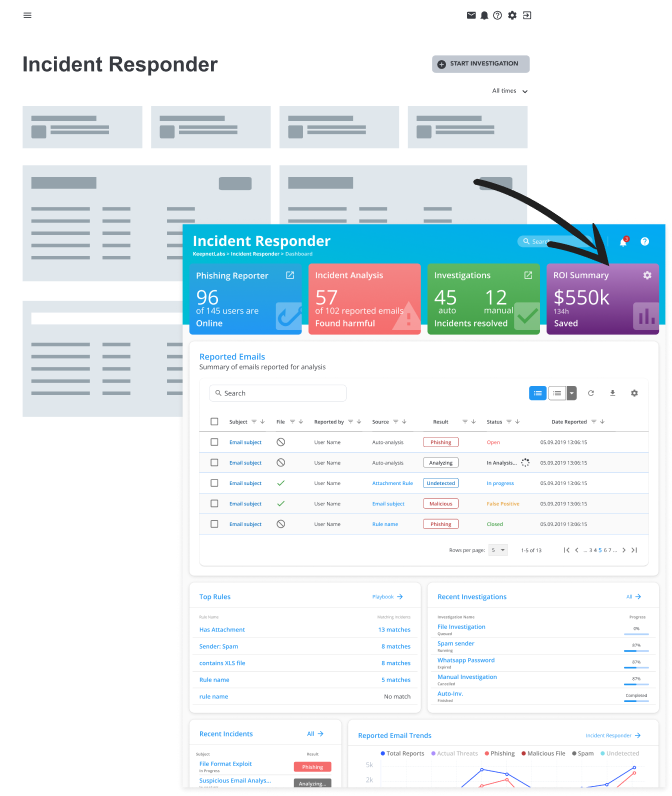
Top widgets summarise the selected period, a panel shows recent investigations, and one table lists every reported email with its scan result. I iterated until the status people check first was the first thing they see.

Wireframe iterations of the Incident Responder dashboard
Key moment

Automation logic people understand

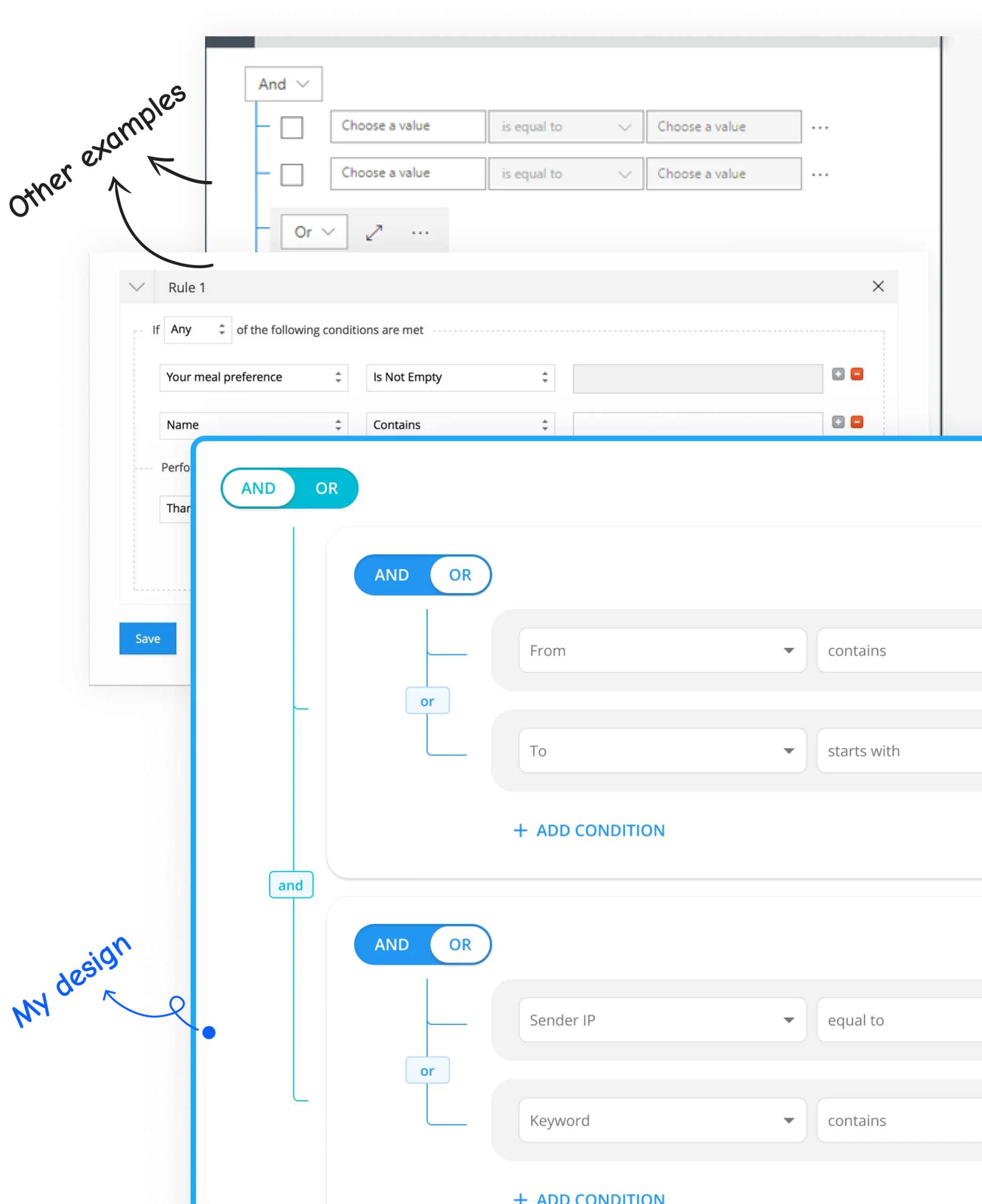
Competitors used dropdowns or “all/any” wording, and testers found both confusing. I replaced them with a simple toggle and and/or badges on the lines between conditions, so the logic reads like a sentence.

Result: the toggle tested well where dropdowns had confused people.

Logic creator: dropdown version compared with the AND/OR toggle version

Validate

Does it really work better?

From tested wireframes to UI

I ran 1:1 sessions and unmoderated tests on Maze and TryMyUI, then moved the tested wireframes into high-fidelity UI.

Wireframe turning into the final high-fidelity dashboard

Interface on a design system

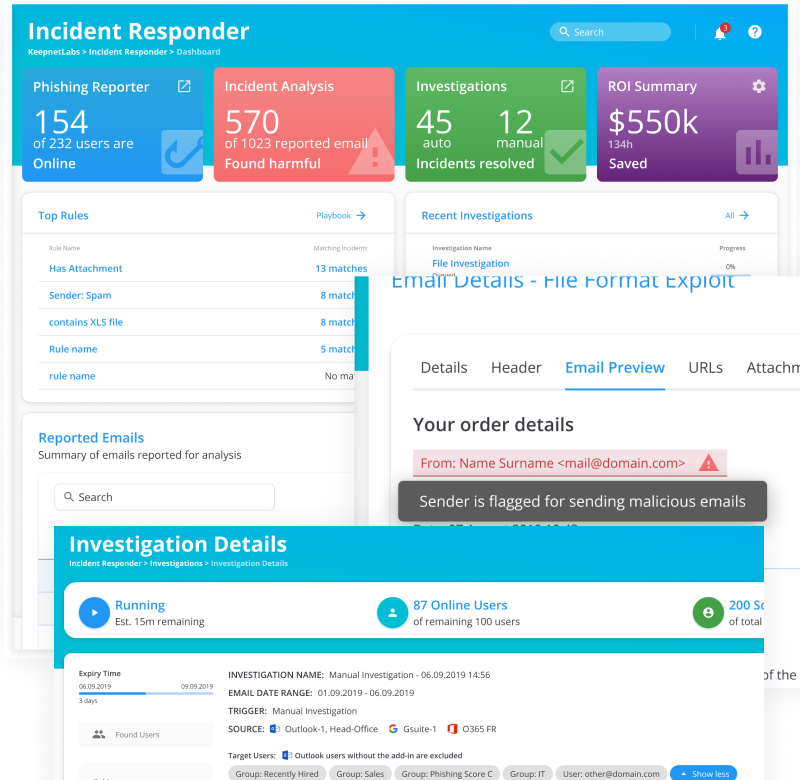
I designed the widgets on a Material-based design system, showing overall numbers next to what needs attention now, like running investigations and queued scans. After launch we tracked usage with analytics and ongoing feedback.

Result: users found it more intuitive than the MVP and competitors.

Final Incident Responder dashboard with widgets, investigation details and email preview

What I learned

Even features that already exist deserve testing. The MVP could already investigate emails; testing it again showed us how to cut the effort almost in half.

Next case study Making phishing reports readable at a glance