Nejat Ozalp, Senior Product Designer
← All work
Keepnet Labs · Phishing Simulator

Making phishing reports readable at a glance

Redesigning the phishing simulation campaign report so security teams see how every recipient behaved, and act on it, in one look. I led two junior designers from research to final UI.

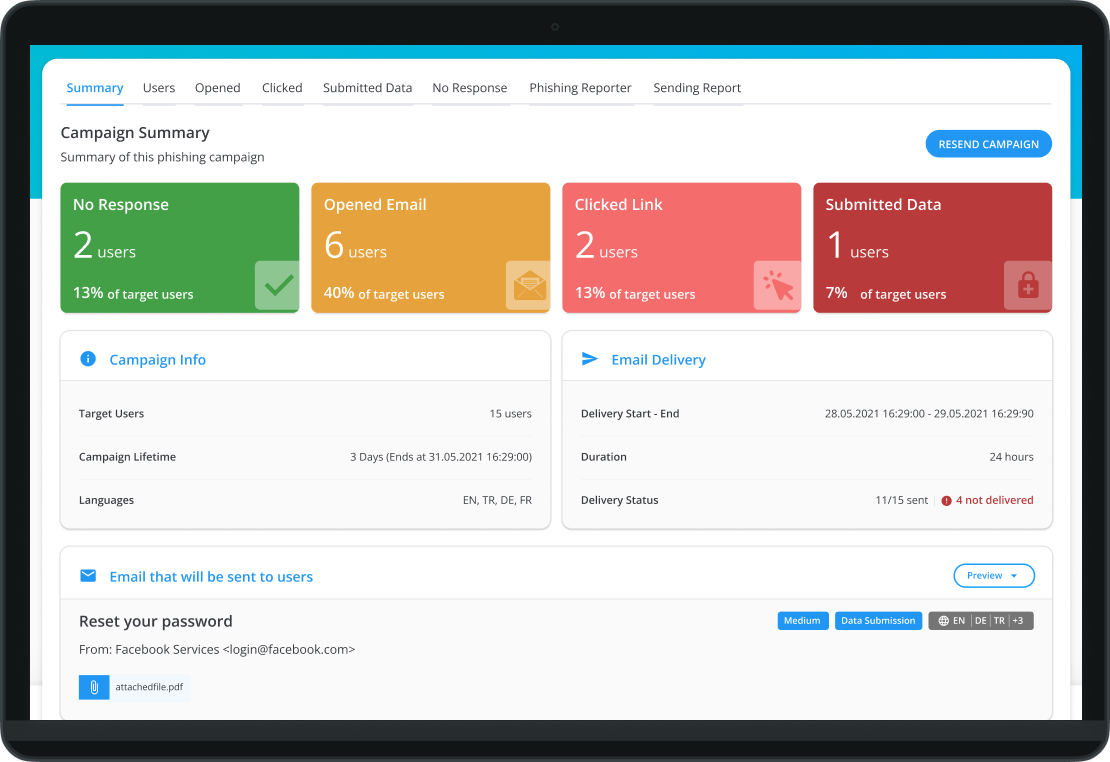
Phishing Simulator campaign report with stat cards and recipient activity

Problem

Phishing Simulator sends realistic fake phishing emails to train employees. Its campaign report showed what each recipient did, like opening the email or entering a password, but it was crowded with charts that told users little, and failed deliveries were invisible.

Solution

A report organised the way users group information: stat cards for the overall picture, widgets for the detail, colours for status, and a delivery report with a re-send action.

Results

  • Cleareroverall status readable in one look
  • Higheradoption of the report, up 15%
  • Fewersupport tickets
  • Visiblefailed deliveries, with one-click re-send

How I approached it

Understand

Who uses this, and why?

Interviews

We interviewed users and colleagues who work directly with customers to learn about habits, motivations, feedback, requested features, market needs and legal requirements. Four questions guided us.

  • What actions do they need to take to do their work?
  • What problems have they faced in the past?
  • What information do they expect to see?
  • What do they do with that information?
Competitor analysis

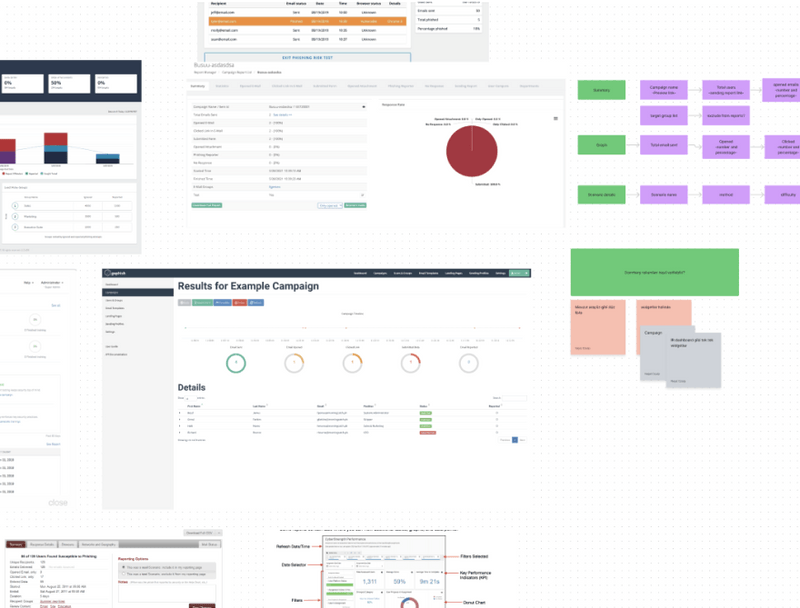
We studied competitor reports to find details we were missing, and to spot possibilities nobody was offering yet.

Competitor analysis of phishing simulation reports

Focus

How does all that information come together?

Card sorting

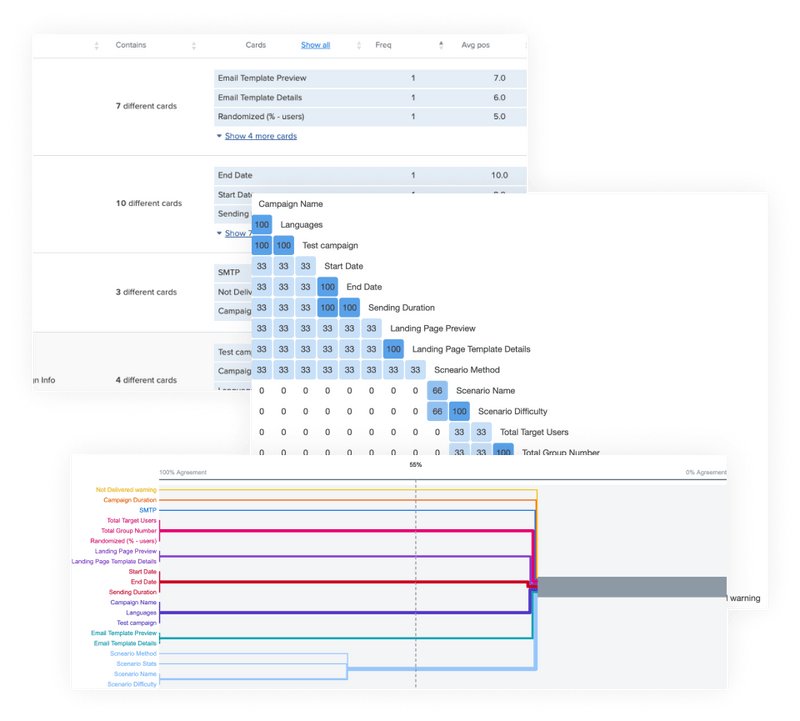
We listed every piece of information and every action on a FigJam board, and cut what users didn't need, including charts that told them nothing. Then we ran card sorting with users and colleagues on Optimal Workshop, and used the similarity matrix and dendrograms to group information into clusters.

Card sorting results from Optimal Workshop with similarity matrix and dendrogram

Explore

Which layout works for every case?

Team sessions and wireframes

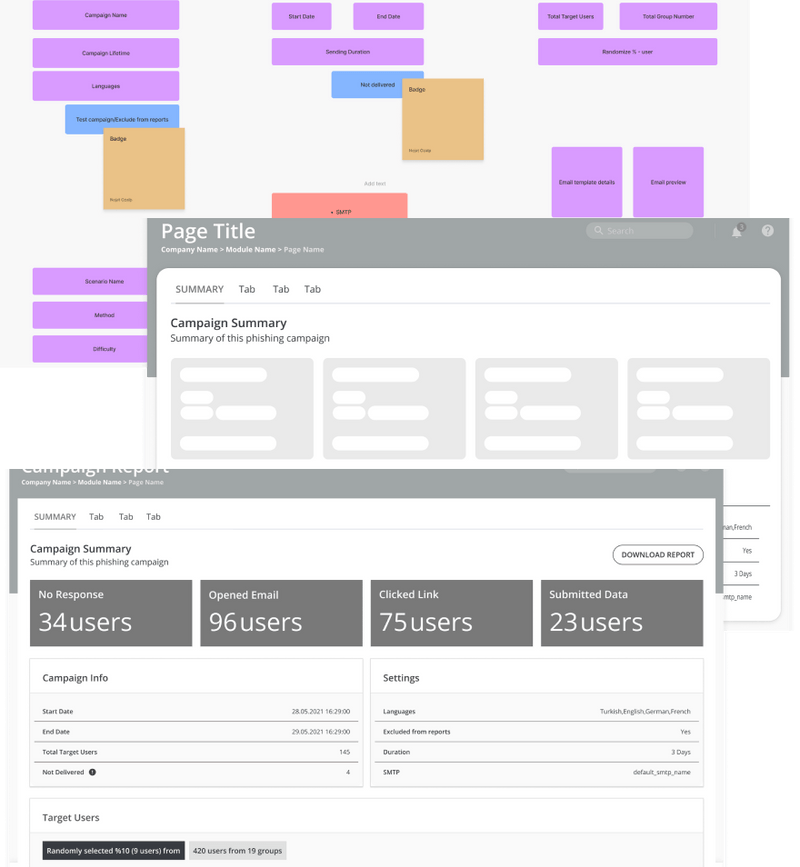
I ran brainstorming sessions with the design team and we iterated wireframes quickly. Optional fields had to fit any combination without breaking the layout, and we removed pie charts and line graphs users found unnecessary.

Design team brainstorm board and wireframe iterations of the report layout
Key moment

Delivery report

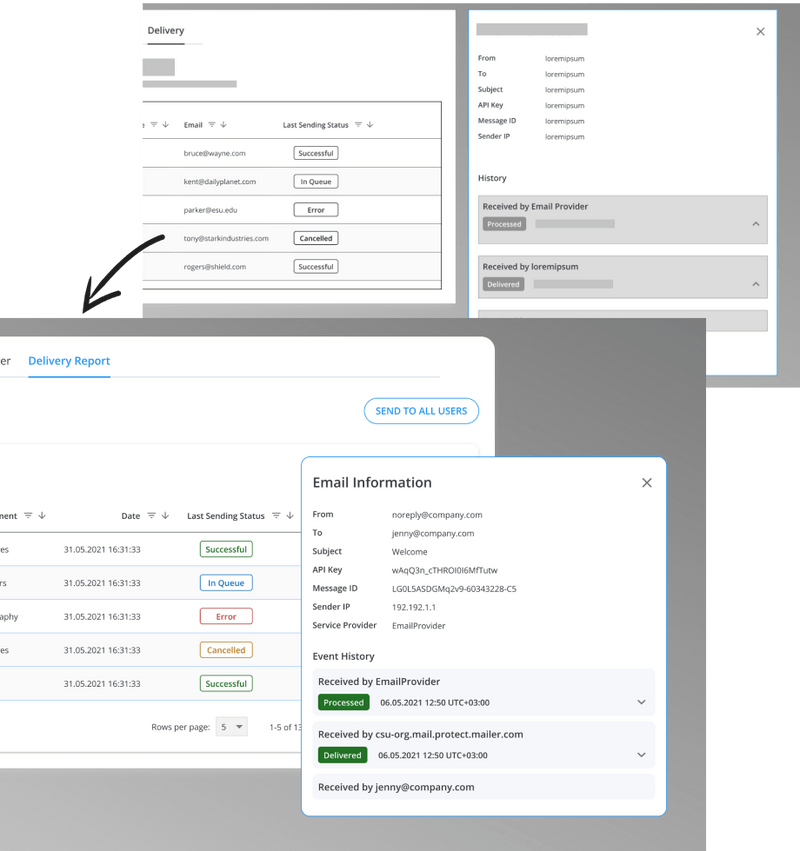
Sometimes campaign emails aren't delivered, and users had no way of knowing who never received one. We added delivery status to the report so users can see the error, step in, and re-send with one action.

Result: no more invisible failed deliveries.

Delivery report showing failed emails with error details and a re-send action

Validate

Can users read it correctly?

Old vs new

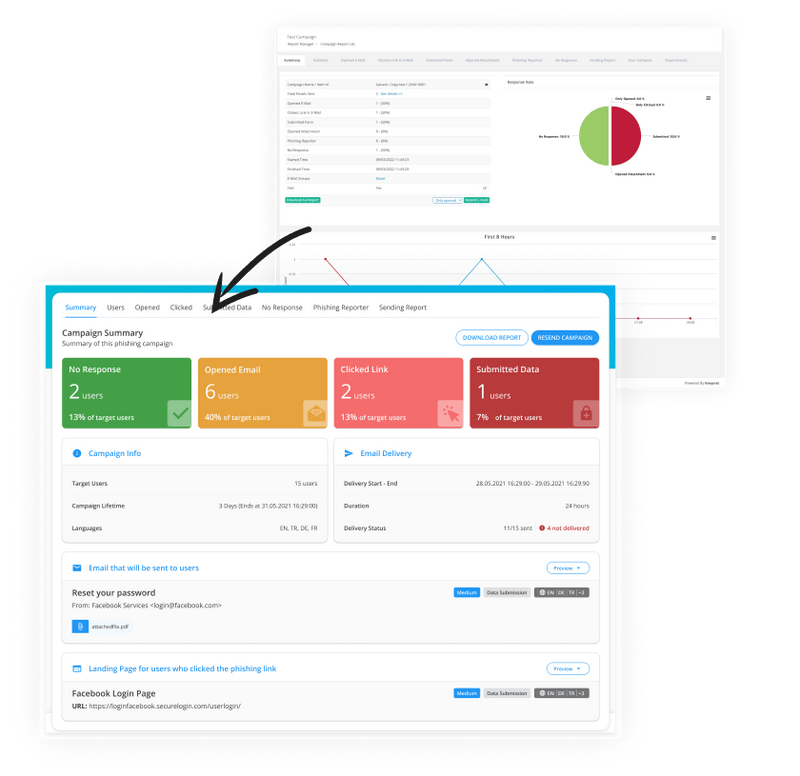
We built the UI kit from our component library, adding stat cards and widgets for this feature. Size, contrast and status colours set the hierarchy, so users get the overall picture in one look and the detail in a few clicks.

Old campaign report compared with the redesigned report

User testing

A survey study on Optimal Workshop showed participants example reports and asked them to pick the right answer, with real users and testers from the Optimal Workshop pool. Moderated tests on a prototype let us watch people use it.

Result: released after 2 rounds of tests and revisions, with very positive feedback.

What I learned

This was my first time leading a team of three. Structured brainstorming is what led us to the right way to group such complex information.

Next case study Ten-minute grocery delivery, two apps, one tight deadline