Nejat Ozalp, Senior Product Designer
← All work
Wahoo · Customer & courier apps

Ten-minute grocery delivery, two apps, one tight deadline

Designing the customer and courier apps for a grocery delivery service that promises orders in under 10 minutes, from the brief to MVP, ready to improve with usage data.

Wahoo customer app screens on phones

Problem

Wahoo promises groceries in under 10 minutes, starting around university and college campuses. It needed a customer app and a courier app, designed fast, for young users who are picky about experience.

Solution

A customer app with clear categorisation and live courier tracking, and a rider app with a navigation map, instant order alerts and a tips screen, so both sides can move fast.

Results

  • MVP shippedon a tight deadline
  • Two appscustomer and courier, one visual language
  • Built to iteratedesigned to improve with usage data after launch

How I approached it

Understand

Who is it for?

Users and couriers

Customers are mostly 18 to 30, using the app around university and college campuses at launch. Generations Y and Z are picky about experience, but comfortable with smaller type and tighter layouts. Couriers are in the same age range.

  • Aged 18 to 30, on and around campus
  • Picky about experience
  • Fine with small type and tight layouts
  • Couriers in the same age range

Explore

What is the fastest way to an order?

Brainstorms and workshops

I ran brainstorming sessions and workshops with the founders and developers to turn the briefs into flows we could build quickly. Bringing them in early kept ideas realistic for the deadline and gave everyone a shared picture of the MVP.

Customer app wireframes

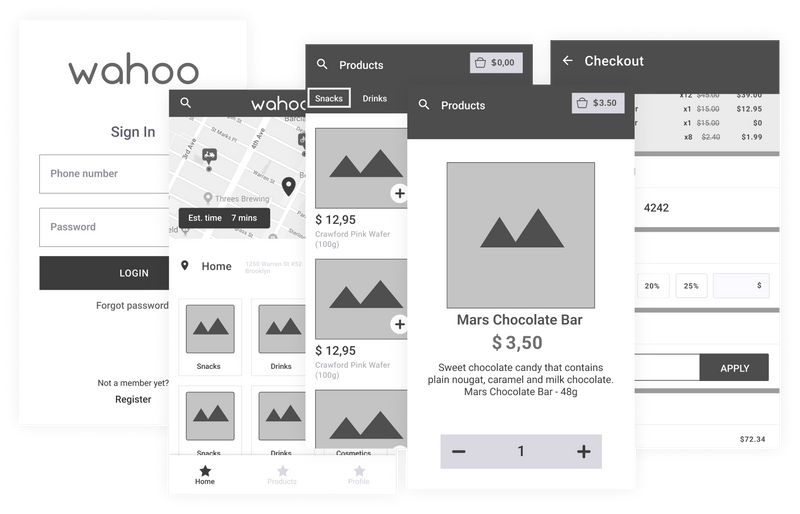
The goal was to launch quickly and improve from real behaviour, so I designed the wireframes from the briefs and our workshops and iterated on them quickly. The home screen shows a map with estimated delivery time, the user's address and product categories. The address fills in automatically and can be edited.

Lo-fi wireframes of the Wahoo customer app: home with map, categories and products
Key moment

Readable over dense

We wanted as many categories on screen as possible, but not at the cost of readability. I settled on three categories per row, and two products per row on the product screen, which kept product images large enough to judge at a glance.

Result: browsing stays quick without squinting.

Rider app

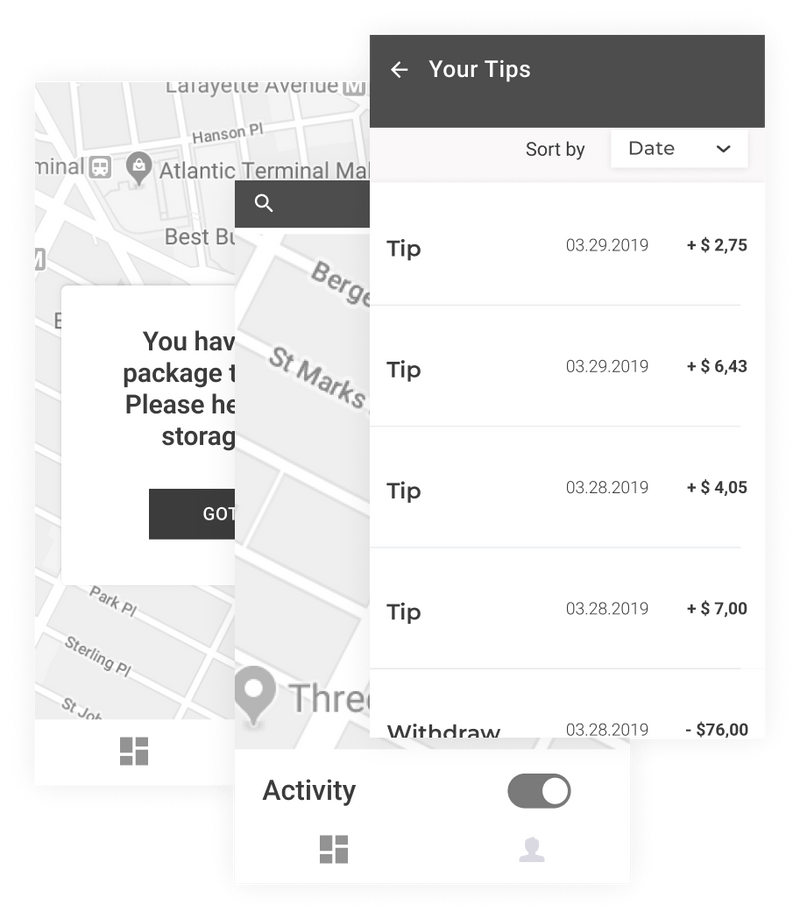
Riders deliver the orders. They need a notification when an order comes in, the delivery location on a map, their earnings including tips, and a way to contact the customer when needed.

Lo-fi wireframes of the Wahoo rider app: incoming order, map and earnings

Design

How does it look and feel?

MVP interface

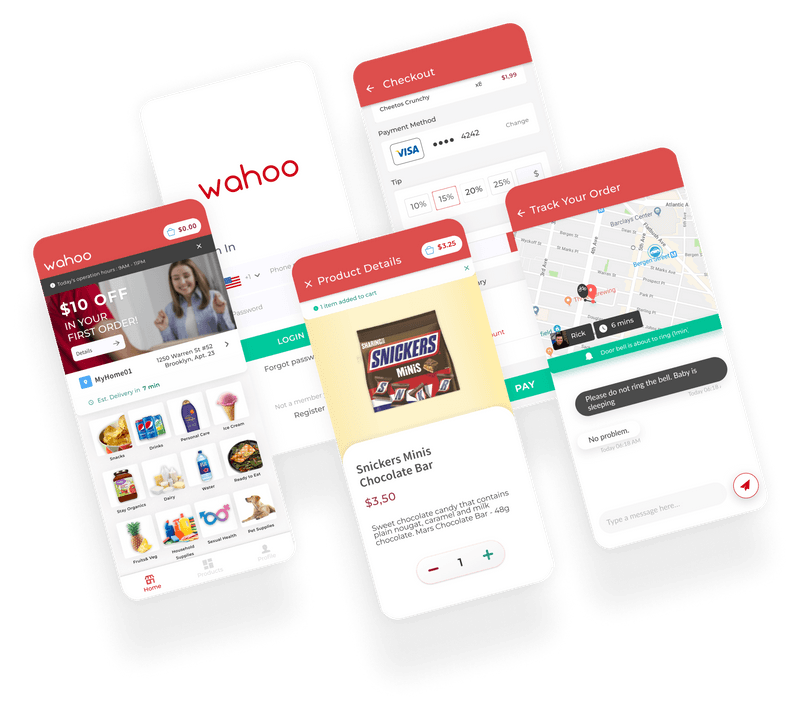
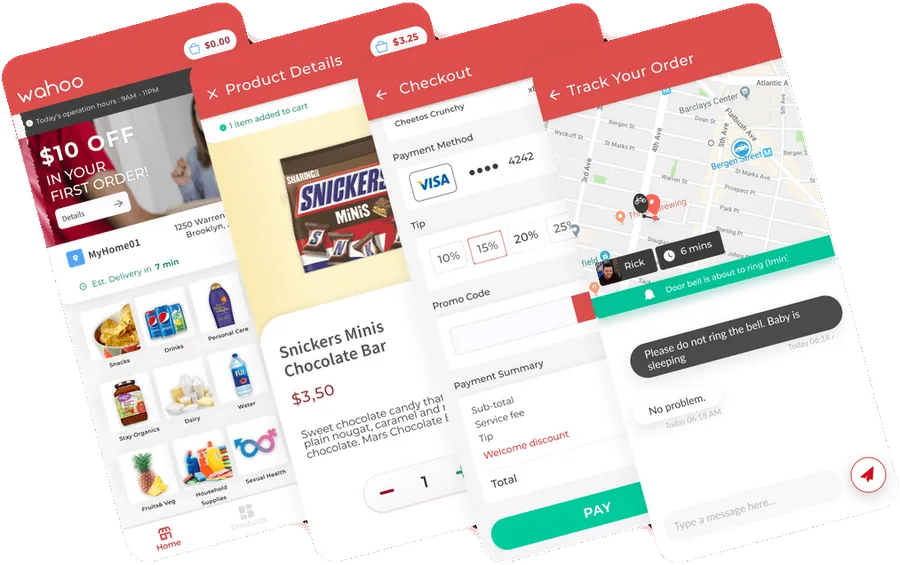
The first round of UI had to be designed and built within a short deadline. The brand colours were already set as red and white, so I focused on clear hierarchy and fast scanning across both apps.

Wahoo MVP interface screens in red and white

Validate

Does it work for real users?

User testing

I tested the prototypes with people from the target group, watching them browse, add products, check out and track a delivery. What we saw shaped the flows before the MVP went to development, and usage data took over after launch.

Next case study One portal for installers, from lead to invoice